Summary
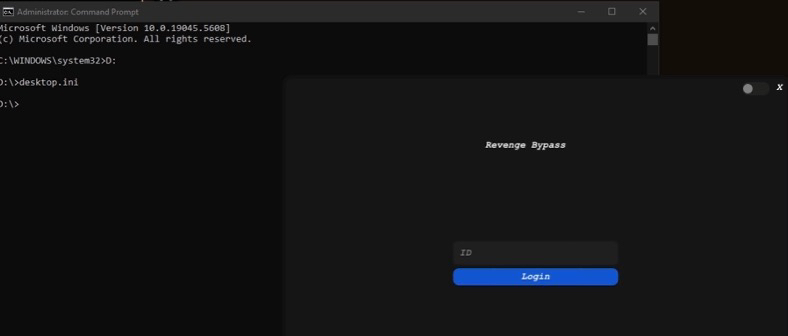
- Revenge drops its DLL as desktop.ini inside the EFI System Partition, a location that Everything and most file scanners skip by default.
- The Reshade masquerade is cosmetic only, name and icon, no functional Reshade code. Mount the ESP with mountvol X: /S to inspect it directly.
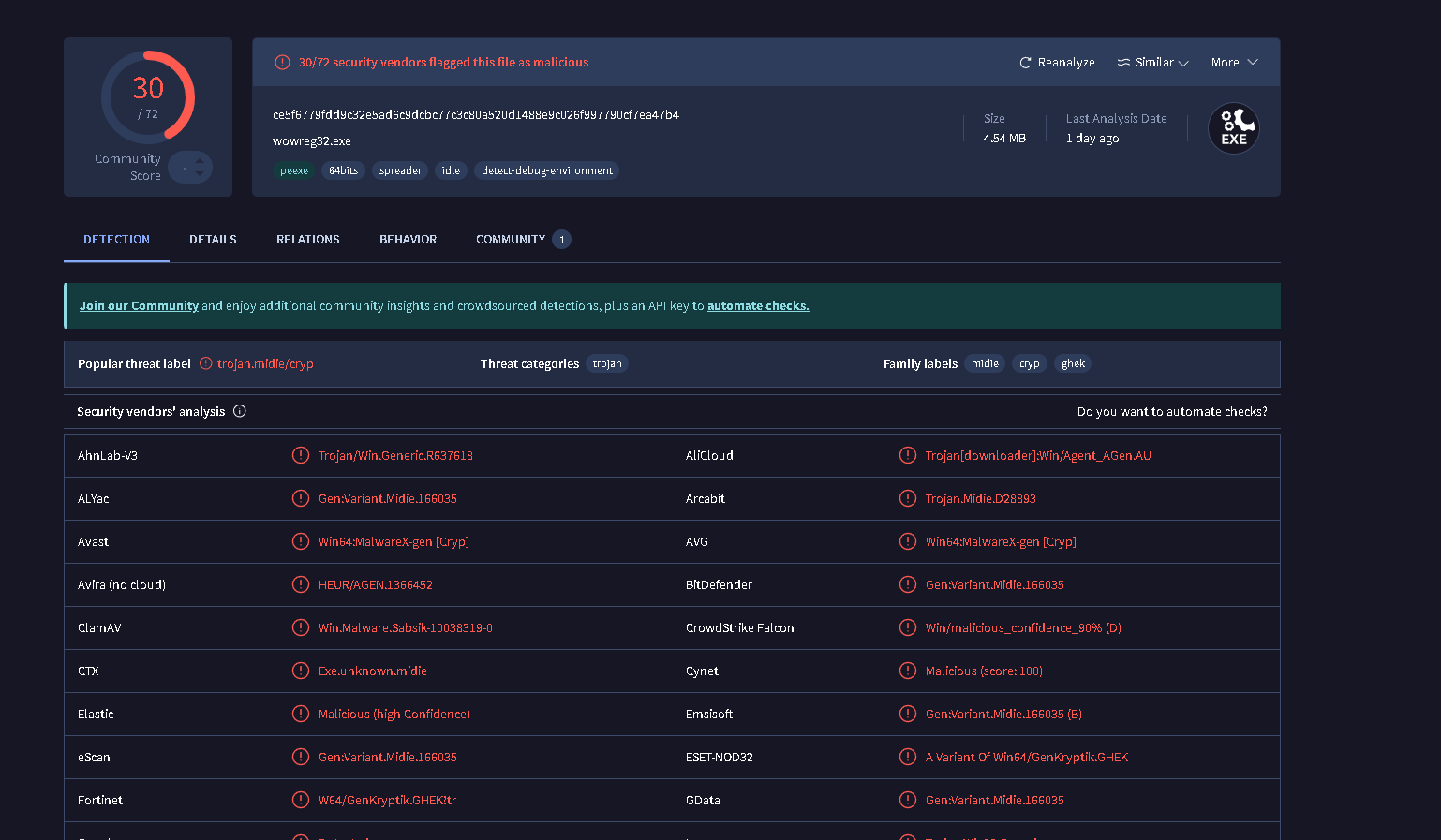
- Star.xyz Bypass (SHA-256: ce5f6779...) shares the same keyauth.win C2 and distribution network as Revenge.
- Both variants leave forensic artifacts in BAM registry, LSASS process memory, NTFS USN Journal and LastActivityView.
Overview
Revenge Bypass creates an EFI partition drive and hides its DLL as a desktop.ini file inside it. The EFI System Partition (ESP) is typically not assigned a drive letter and is not indexed by search tools like Everything. The developer is banking on this blind spot: standard screenshare checks and casual file scanners will never see the payload because they never look there.
The Reshade masquerade is surface-level, only the name and icon are borrowed. There is no functional Reshade code inside the payload. The actual DLL is the bypass loader, renamed to exploit the trust gaming users have in the Reshade brand.
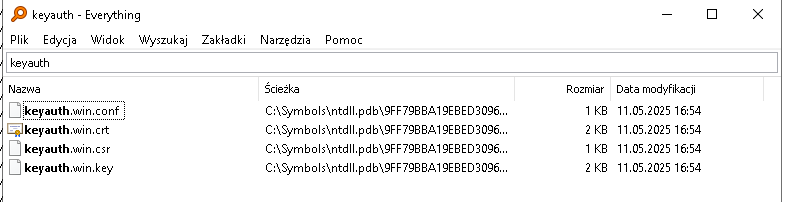
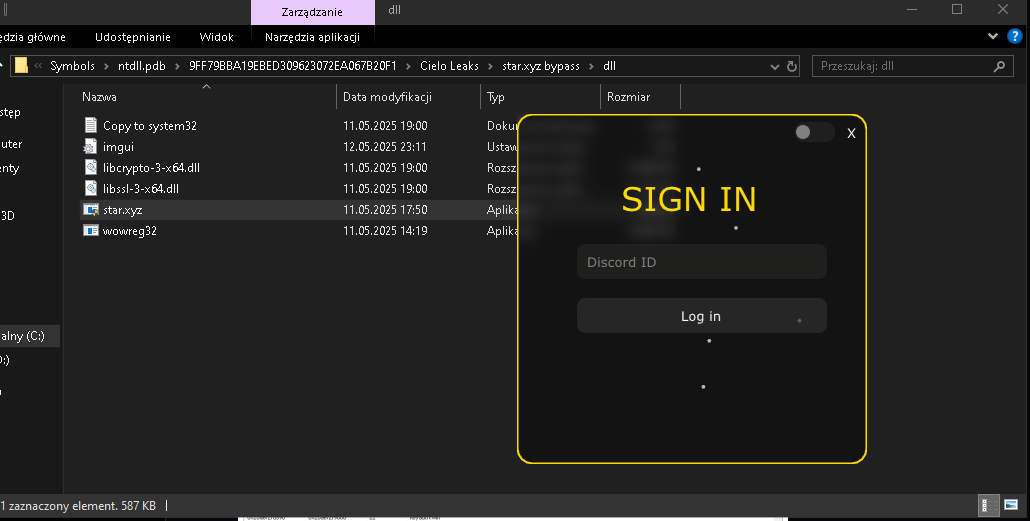
The Star.xyz variant is a separate build distributed through the same channels. It uses keyauth.win as its authentication backend, the same backend Revenge contacts. Both variants create forensic artifacts in LSASS process memory, DNS queries, the NTFS USN Journal, LastActivityView execution records and BAM registry entries. If you find one, check for the other.
Revenge Bypass, EFI Partition & Desktop.ini
Windows creates an EFI System Partition on every UEFI-boot system. The ESP stores bootloaders, firmware drivers and UEFI applications. It is not a normal data volume, Windows does not assign it a drive letter by default, and file indexing services like Everything do not scan it. To access it, you must mount it manually.
How the EFI trick works
- mountvol X: /S (run as admin) assigns a temporary drive letter to the ESP. Substituting any available letter works.
- diskpart → list volume shows the ESP as a FAT32 volume labeled "SYSTEM" with no assigned letter.
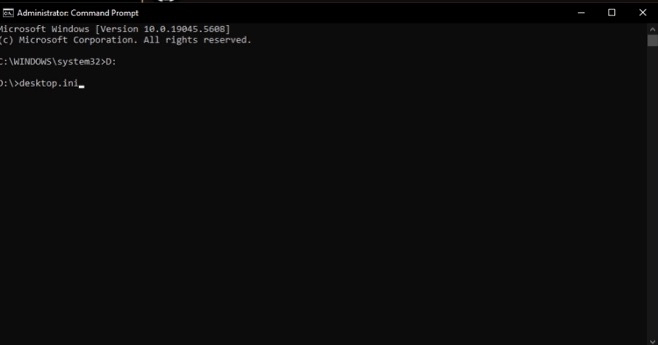
- Revenge drops its DLL at X:\desktop.ini (or a subdirectory) to exploit the fact that no standard search tool indexes this path.
- A genuine desktop.ini is a plain-text INI file under 1 KB, found in user folders. Any desktop.ini on the ESP with a file size in the hundreds of KB or MB range is the payload DLL.
- Unmount when done: mountvol X: /D
The "Reshade" name and icon on the launcher are cosmetic. The launcher exists in userspace to give the illusion of a graphics tool being installed. The real work happens when it writes the DLL to the ESP and arranges for it to be loaded at the appropriate time.
Star.xyz Bypass, File Details & Hashes
The Star.xyz Bypass is a distinct build distributed through the same network as Revenge. It shares the keyauth.win authentication backend and leaves an identical forensic footprint in LSASS, DNS cache, the NTFS USN Journal and LastActivityView. The following sample was recovered and submitted for analysis.
SHA-1         9f926aac866275bb93925a9294e53dbc839e274a
SHA-256       ce5f6779fdd9c32e5ad6c9dcbc77c3c80a520d1488e9c026f997790cf7ea47b4
Vhash         046066656d1565555132z13z487z30401031z12z234z1d355z
Authentihash  3176b577829251d27c2e8e21df2a139450db32e7b449a0a5e825b9ad55df608b
Imphash       723bc2df9b9f0460078622f163a7487c
SSDEEP        49152:zL2d3EXOwF9u0OZkTCS+e8FW3ADu5LshzVFw2M1uXeUT8+HEcPnJL1aplW+eA3xU:
              H2hEKw8wQJhBFqEkpl/eA3x

File Type     Win32 EXE (PE32+ executable GUI x86-64)
Compiler      Microsoft Visual C/C++ 19.36.34810 (LTCG/C++)
Linker        Microsoft Linker 14.36.34810
Size          4.54 MB (4,759,040 bytes)
C2            keyauth.win (DNS + LSASS)
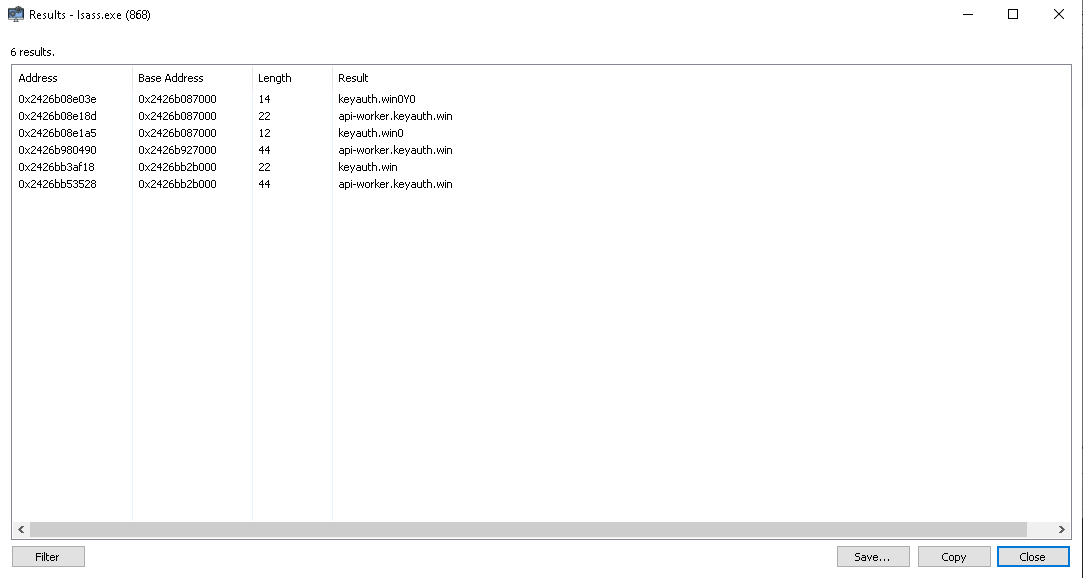
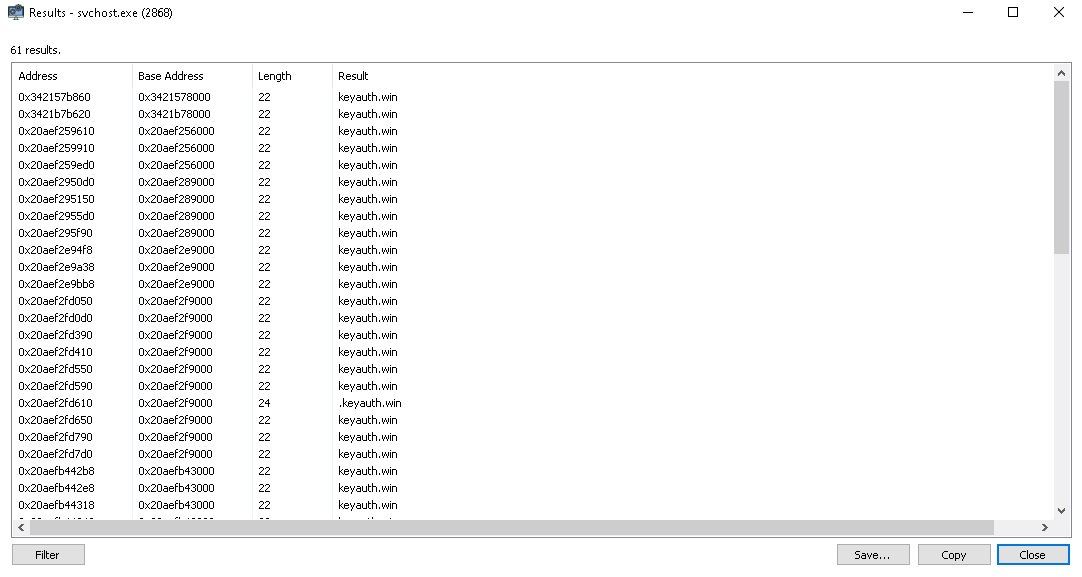
Star.xyz writes keyauth.win into the DNS cache and into lsass.exe memory the moment it authenticates.
Detection
Work through these steps in order. Steps 1–2 will catch most active or recently-used installs. Steps 3–5 cover machines where the user has attempted cleanup and apply to both Revenge and Star.xyz variants.
Mount and inspect the EFI partition
- Run mountvol X: /S as administrator to assign a drive letter to the ESP (substitute any free letter for X).
- Open File Explorer or a CMD window and navigate to X:\.
- Look for any DLL, EXE, or suspicious file. The ESP should contain only EFI\ subdirectories with Microsoft and OEM bootloaders.
- desktop.ini in this location is not a legitimate Windows file. Genuine desktop.ini files live in user profile folders, never in the ESP. Any such file here is the bypass DLL.
- Use dir /a X:\ to enumerate hidden files, then check file size. A real desktop.ini is under 1 KB. The payload will be hundreds of KB to several MB.
- Unmount when done: mountvol X: /D
BAM Registry, Execution Evidence
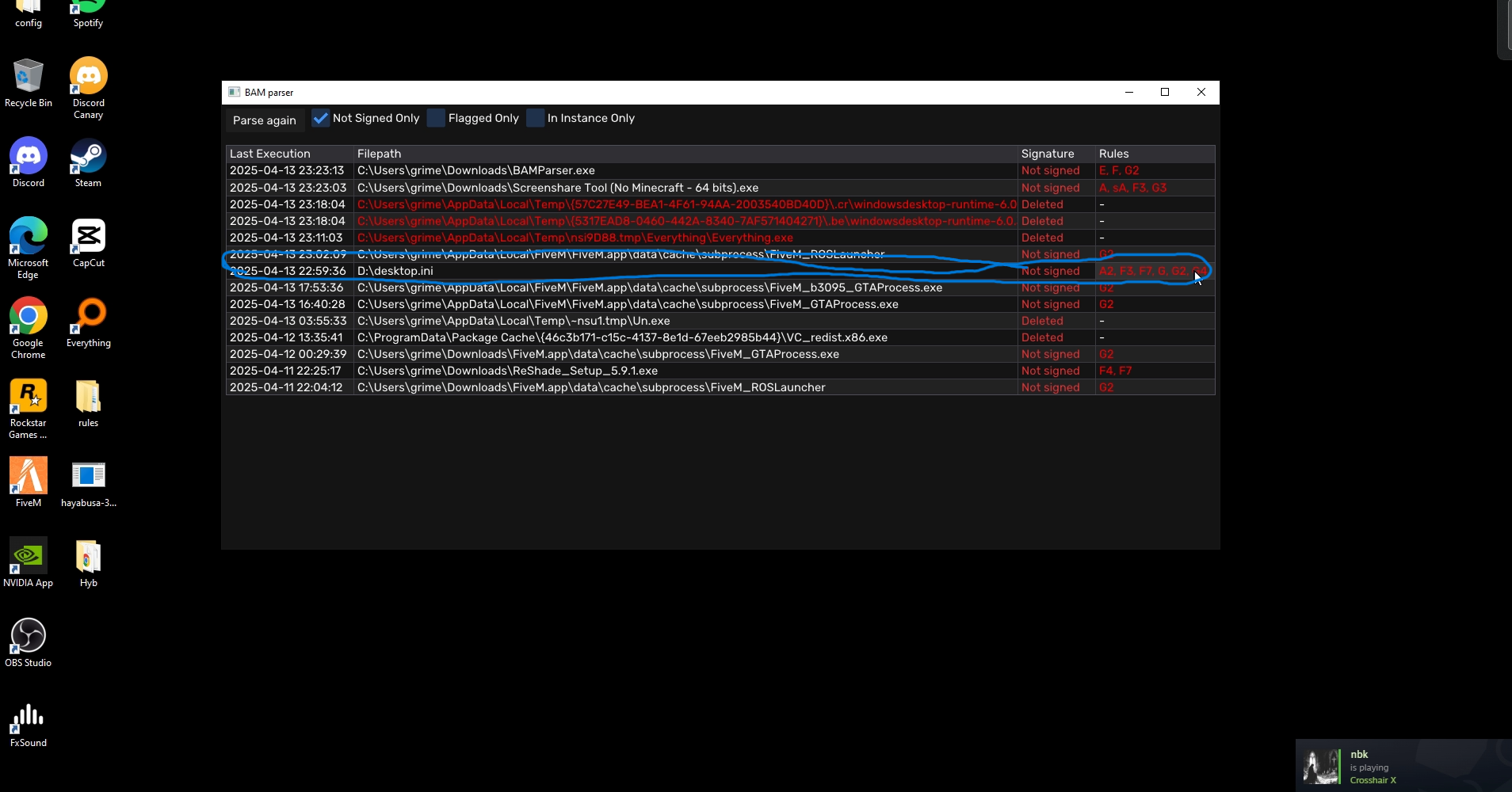
- Navigate to HKLM\SYSTEM\CurrentControlSet\Services\bam\State\UserSettings\<SID> in regedit or RegistryExplorer.
- Look for entries pointing to the EFI partition mount path, any path containing a Reshade-named file, or unexpected executables in user-writable directories.
- BAM timestamps are stored as FILETIME values representing last execution, they survive user-side cleanup and cannot be cleared without direct registry editing.
System Informer, svchost.exe DNS / LSASS strings
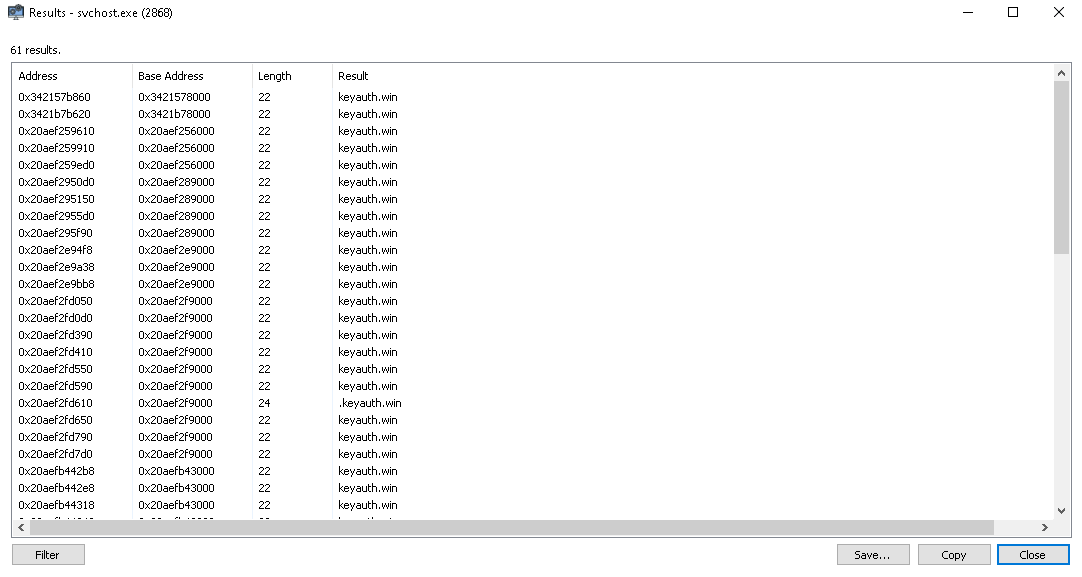
- Open System Informer as administrator → locate each svchost.exe → Network tab: look for keyauth.win DNS queries.
- Open lsass.exe → Memory → Strings: search for keyauth.win. Presence here confirms the auth module loaded into LSASS address space.
- Neither a legitimate svchost nor a clean lsass will contain any reference to keyauth.win. A single hit in either is sufficient for a positive detection.
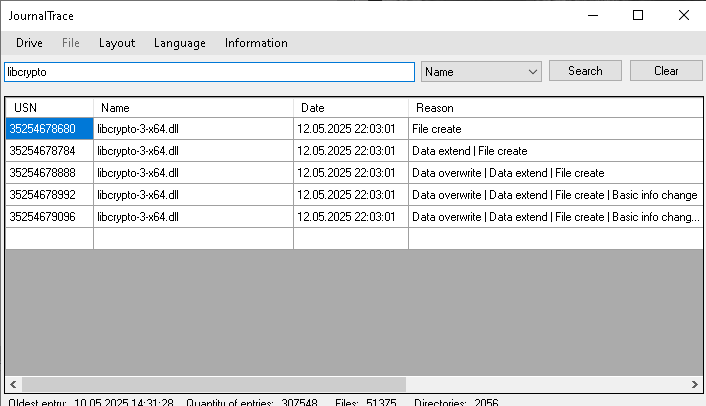
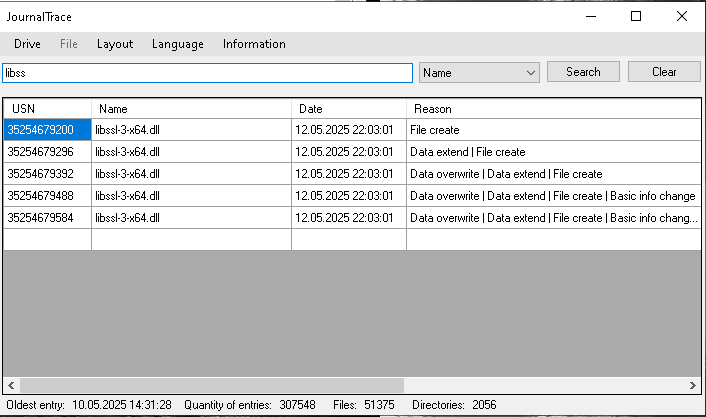
NTFS USN Journal, DLL creation trace
- Run fsutil usn readjournal C: csv > journal.csv in an elevated prompt.
- Open the CSV and filter for desktop.ini entries with a FILE_CREATE reason code.
- Any desktop.ini created in a non-user-profile parent path (especially any EFI volume path) is a positive detection.
- Correlate the creation timestamp with the BAM execution timestamp to build the full installation timeline.
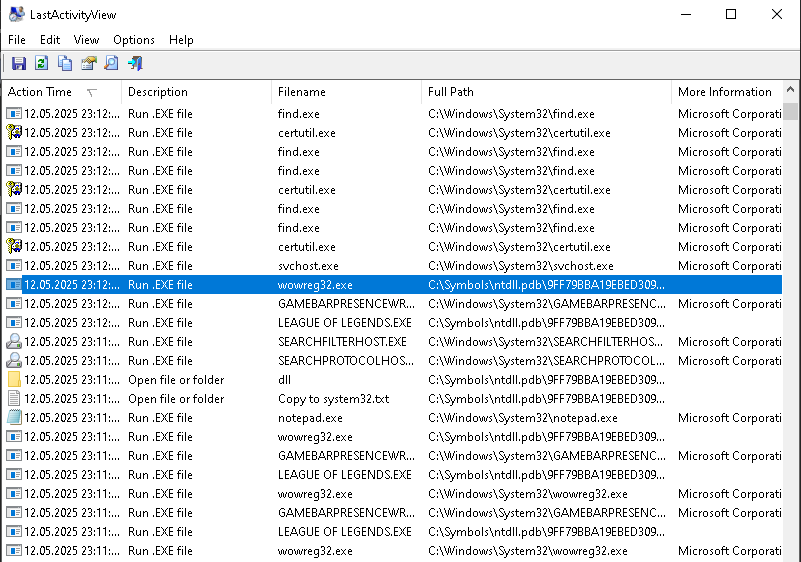
LastActivityView
- Download LastActivityView from nirsoft.net and run as administrator.
- Look for execution records of the Revenge loader, any Reshade-named executable, or any file whose path includes an EFI partition mount point.
- LastActivityView aggregates multiple Windows execution artifact sources, making it useful for reconstructing the timeline even after manual cleanup attempts.
Defensive material
All indicators and methodology documented here are published for server administrators, DFIR practitioners and anti-cheat researchers. This material describes detection techniques only. For vulnerability disclosures or to contribute to the research corpus, contact security@clubhouseac.shop.