Summary
- Loader registers itself in the NVIDIA Control Panel application list and the entry persists after the cheat session ends.
- Gosth injects into arbitrary processes, detectable via the DiagTrack service in System Informer by filtering for \device\ and looking for launcher.exe.
- A random-name .tmp file is created in %TEMP% and persists until the directory is cleared.
- Prefetch and Data Usage records both survive, Gosth does not attempt to wipe either artifact after the session.
Overview
Gosth is a commercially distributed FiveM cheat loader. Unlike loaders that ship through traditional installation packages, Gosth is distributed as a direct CDN download from cdn.gosth.ltd/launcher.exe. This delivery model means the binary may be updated at any time without a version bump, and no stable file hash is available for the current build.
Network infrastructure is hosted within the Brazilian IP block 131.196.198.0/24 (bbhost.com.br). DNS queries for *.bbhost.com.br hostnames in the cache during or after a gaming session are a network-layer indicator of Gosth activity.
No hash data is available for the current Gosth build as it is distributed as a direct CDN download that may be updated frequently. Detection relies on behavioral artifacts rather than file hashes.
Behavioral indicators
1. NVIDIA Control Panel persistence
The Gosth loader registers itself in the NVIDIA Control Panel application list and remains there after the cheat session ends. To check: open NVIDIA Control Panel, navigate to Manage 3D Settings → Add application and look for launcher.exe or any unrecognised entry in an unusual path. This entry is not removed by a standard uninstall.

2. DiagTrack injection detection
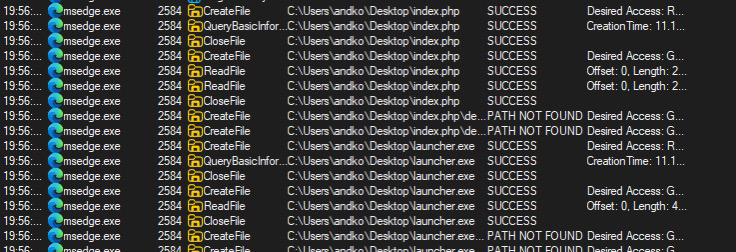
Gosth injects into arbitrary processes. To detect this via DiagTrack: open System Informer, find the DiagTrack service (if multiple instances are present, use the one with the highest PID), open it, go to section 4, select all, then filter by \device\ and look for launcher.exe in the results. This technique is only effective while the cheat is running.
3. Random .tmp file in %TEMP%
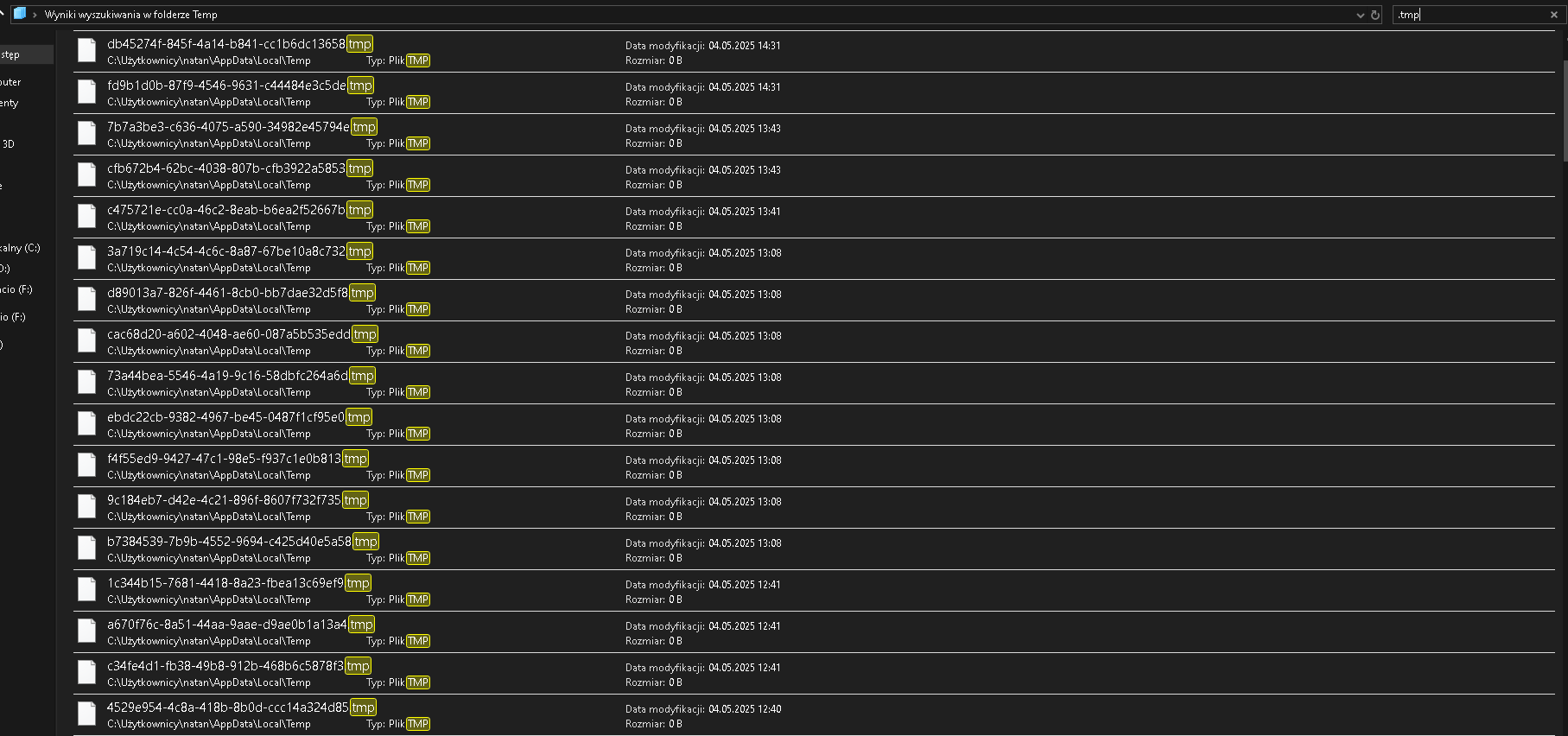
Gosth creates a .tmp file with a random alphanumeric name in the user's %TEMP% directory (C:\Users\<user>\AppData\Local\Temp\). The file has no meaningful extension pattern but can be identified by its creation timestamp matching the cheat session. This artifact persists until the Temp directory is cleaned.
4. Prefetch survives
Unlike some cheats, Gosth does not attempt to clear its Prefetch entries. The LAUNCHER.EXE-*.pf file will be present in C:\Windows\Prefetch after any session where the loader was executed. This is one of the most reliable post-session indicators.

5. Data Usage record persists
Windows Data Usage (Settings → Network → Data Usage) records network activity for launcher.exe and this record persists after the cheat is uninstalled. A Data Usage entry for launcher.exe with non-zero bytes sent or received is a reliable post-uninstall indicator.

Screenshare check guide
Work through these steps in order. Steps 1 and 2 target active or recently used installs. Steps 3–6 cover machines where the user has attempted cleanup.
NVIDIA Control Panel check
- Open NVIDIA Control Panel and navigate to Manage 3D Settings → Add application.
- Look for launcher.exe or any entry in an unusual or user-writable path. Legitimate applications in this list should correspond to known game or software executables.
- This entry is written at cheat load time and is not cleaned up on exit, it will be present even after an attempted uninstall.
DiagTrack scan (while running)
- Open System Informer and locate the DiagTrack service. If multiple instances are present, use the one with the highest PID.
- Open that service entry, go to section 4 and select all entries.
- Filter by \device\ and look for launcher.exe in the results. A hit confirms Gosth is currently injecting into processes via DiagTrack.
%TEMP% random .tmp file
- Open C:\Users\<user>\AppData\Local\Temp\ and sort by creation date descending.
- Look for any .tmp file with a random alphanumeric name created around the suspected usage period. Gosth's .tmp file has no distinctive naming pattern beyond its random alphanumeric filename.
Prefetch check
- Navigate to C:\Windows\Prefetch and look for a file matching LAUNCHER.EXE-*.pf.
- Gosth does not attempt to remove this file. Its presence and the last-run timestamp inside the Prefetch entry confirm loader execution.
Data Usage check
- Open Windows Settings → Network → Data Usage and review the per-application breakdown.
- Look for launcher.exe with any non-zero bytes sent or received. This entry persists after the cheat is uninstalled.
Browser download history for gosth.ltd
- Check the browser download history for any files downloaded from gosth.ltd or cdn.gosth.ltd.
- The loader is distributed as a direct download from cdn.gosth.ltd/launcher.exe. A download record here is strong evidence of acquisition.
Detection summary
Artifact                           Survives cleanup?        Check location
────────────────────────────────────────────────────────────────────────────────
NVIDIA Control Panel entry         Yes                      NVIDIA Control Panel > Add application
Prefetch (launcher.exe)            Yes                      C:\Windows\Prefetch
Data Usage record                  Yes                      Windows Settings > Network > Data Usage
DiagTrack injection artifact       Only while running       System Informer > DiagTrack (highest PID) > \device\
Random .tmp in %TEMP%              Until %TEMP% cleared     %TEMP% directory
DNS (bbhost.com.br range)          Session-length           ipconfig /displaydns
Browser download (gosth.ltd)       Partial                  Browser download history
The most immediately actionable indicators are the NVIDIA Control Panel persistence entry and the Prefetch record for launcher.exe. Both survive a standard session cleanup and are present on machines where the cheat has been used and nominally uninstalled. The Data Usage record provides additional confirmation that does not require any specialist tooling to locate.
Defensive material
All indicators and methodology documented here are published for server administrators, DFIR practitioners and anti-cheat researchers. This material describes detection techniques only. For vulnerability disclosures or to contribute to the research corpus, contact security@clubhouseac.shop.